
Latest Version
November 01, 2024
Kolb Apps
Music
0
com.rodrigokolb.electropads
Report a Problem
More About :game
What Is Real Pads?
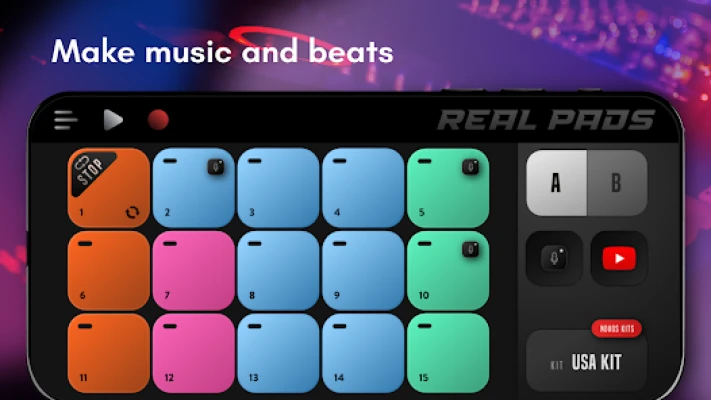
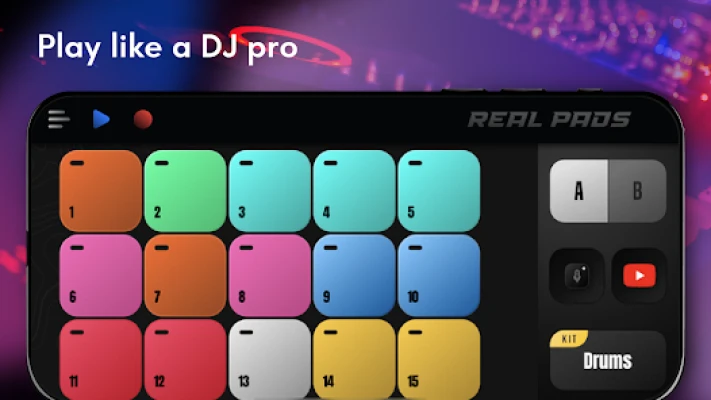
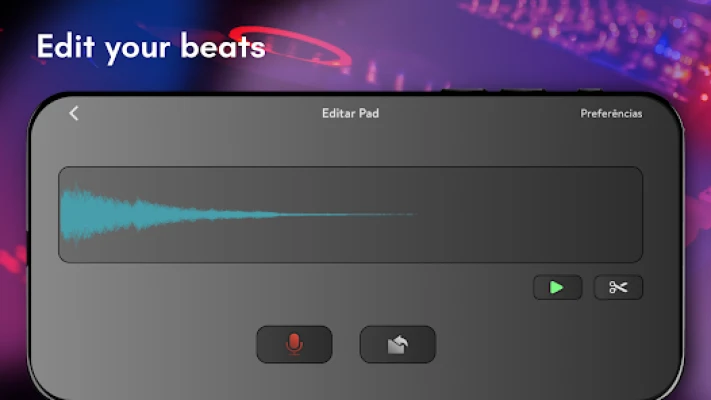
Real Pads is a virtual launchpad and beat-making application that allows users to create music without expensive studio equipment. Using responsive performance pads, players can trigger loops, drum sounds, melodies, and effects in real time while building complete tracks directly from a mobile device. The app includes more than 200 music kits, custom sound importing, sample recording, MP3 export, and MIDI connectivity for advanced users.
Unlike traditional DAWs (Digital Audio Workstations), Real Pads focuses on simplicity and live performance, making it easy for beginners to start producing music within minutes.
Key Features
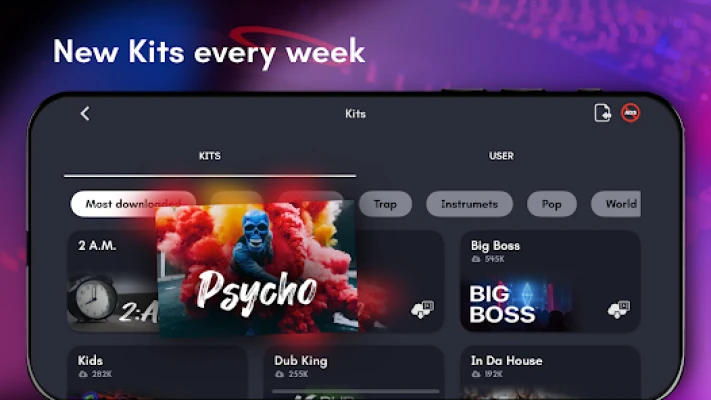
Over 200 Music Kits
Real Pads includes a massive library of ready-to-use sound packs covering genres such as:
- Hip-Hop
- Rap
- Trap
- EDM
- House
- Techno
- Dubstep
- Dance
- Reggae
- R&B
- Jazz
- Soul
- Alternative Music
New kits are added regularly, providing fresh content for music creators.
30 Responsive Performance Pads
The app features 30 touch-sensitive pads inspired by professional MPC and launchpad hardware.
Benefits include:
- Fast triggering
- Live performance control
- Loop launching
- Beat sequencing
- Sample playback
This layout makes creating music intuitive and enjoyable.
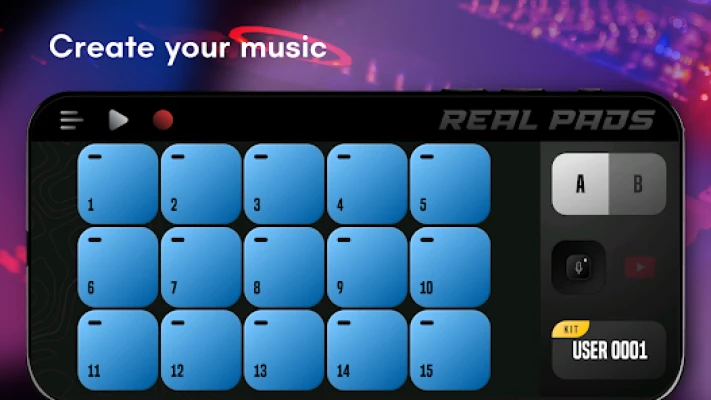
Custom Sound Uploads
Advanced users can:
- Upload personal samples
- Build custom kits
- Record original sounds
- Create unique music packs
This flexibility allows producers to develop a distinctive sound.
Recording and MP3 Export
Once a track is complete, users can:
- Record performances
- Save projects
- Export music as MP3
- Share songs and videos online
Recording functionality makes Real Pads useful for both practice and content creation.
MIDI Support
For more advanced workflows, the app supports MIDI connectivity and multitouch performance features. This allows integration with compatible music hardware and production setups.
Beginner Walkthrough
Step 1: Choose a Music Genre
Start with a single genre pack.
Recommended beginner genres:
- Hip-Hop
- EDM
- House
Working within one genre helps create more cohesive tracks.
Step 2: Explore Every Pad
Before building a song:
- Tap each pad
- Identify drums
- Locate bass sounds
- Find melodies
- Learn effects
Understanding your kit speeds up production later.
Step 3: Build a Drum Foundation
Most tracks start with rhythm.
Add:
- Kick drum
- Snare
- Hi-hat pattern
- Basic percussion
A strong beat creates the foundation for everything else.
Step 4: Add Bass and Melody
After the rhythm feels solid:
- Introduce bass loops
- Add melodic elements
- Layer complementary sounds
- Maintain balance
Avoid using too many sounds simultaneously.
Step 5: Record Your First Track
When satisfied with the arrangement:
- Start recording mode
- Perform the track
- Save the session
- Review the playback
Recording helps identify areas for improvement.
Advanced Beat-Making Guide
Build Professional Song Structures
Most electronic tracks follow a recognizable format.
Intro
Introduce rhythm and atmosphere.
Build-Up
Increase tension gradually.
Drop
Introduce the main beat and bass.
Breakdown
Reduce intensity.
Final Drop
Deliver the strongest section of the track.
Structured songs feel more professional and engaging.
Master Layering Techniques
Professional producers typically use several layers.
Drum Layer
Provides rhythm and groove.
Bass Layer
Adds power and movement.
Melody Layer
Creates musical identity.
FX Layer
Improves transitions and atmosphere.
Careful layering prevents mixes from becoming overcrowded.
Customize Your Own Sound Packs
One of Real Pads' strongest features is customization.
Try:
- Recording vocal samples
- Uploading drum sounds
- Creating genre-specific kits
- Building unique performance layouts
Custom kits help your music stand out.
Improve Live Performance Skills
Practice launching sounds in real time.
Focus on:
- Timing
- Smooth transitions
- Loop synchronization
- Effect placement
Live performance skills improve both creativity and workflow.
Best Tips for Faster Improvement
Start With Simple Beats
Many beginners add too many sounds immediately.
A simple groove often sounds better than a cluttered arrangement.
Learn Basic Song Structure
Understanding intros, drops, and breakdowns dramatically improves track quality.
Practice Daily
Even 15 minutes of daily beat creation improves:
- Timing
- Creativity
- Loop management
- Music arrangement
Use Headphones
Headphones make it easier to hear mixing issues and timing mistakes.
Experiment With Different Genres
Each genre teaches unique production techniques.
Try:
- Hip-Hop
- Trap
- House
- Dubstep
- Techno
- R&B
Exploring multiple styles expands creativity.
Common Mistakes to Avoid
Using Too Many Loops
Too many active loops create a messy mix.
Ignoring Rhythm
Strong rhythm is more important than complex melodies.
Overusing Effects
Effects should enhance tracks, not dominate them.
Skipping Practice
Music production improves through repetition and experimentation.
Copying Without Learning
Study successful tracks but develop your own creative style.
Frequently Asked Questions
Is Real Pads suitable for beginners?
Yes. The app is designed for both beginners and experienced producers, offering simple controls and ready-to-use sound packs.
How many sound kits are available?
Real Pads offers more than 200 music kits, with new content added regularly.
Can I upload my own sounds?
Yes. Users can upload custom sounds and record their own samples to create personalized kits.
Does Real Pads support MIDI?
Yes. The app includes MIDI support and multitouch functionality for advanced music production workflows.
Can I export my music?
Yes. Recording mode allows users to save and export performances as MP3 files.
Final Verdict
Real Pads is one of the most feature-rich mobile beat-making applications available. With more than 200 sound kits, customizable pads, sample recording, MP3 export, MIDI support, and a beginner-friendly interface, it provides an excellent platform for learning music production and creating original tracks. Whether you're interested in EDM, Hip-Hop, Trap, House, or experimental electronic music, Real Pads delivers a portable studio experience that can grow with your skills.
Rate the Game
User Reviews










Popular Games



















 Android
 iOS
iOS Windows
 Xbox
Xbox